Client Reports Your Clients Actually Read — in Minutes, Not Hours
Stop rebuilding the same client report every month — and stop sending ones nobody opens. Drop in your data from any platform, CRM, or export, and Parity AI produces a client-ready report — summary, charts, tables, and analysis — ready to export and send.
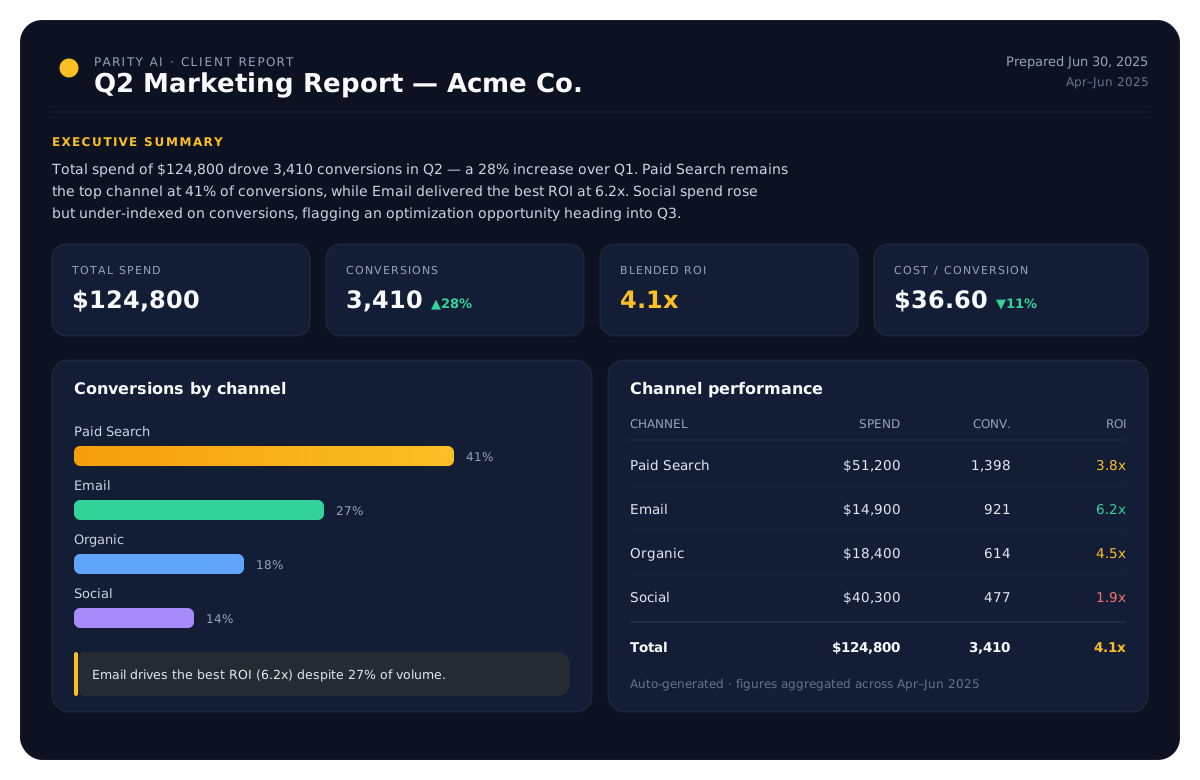
Built for people who report to clients
Agency & consultant ready
Perfect for marketing, sales, and ops teams who send recurring client updates.
Minutes per report
What used to be an afternoon of formatting becomes a few seconds.
Written like an analyst
Each report leads with an executive summary and explains the numbers.
Insights your clients will actually read
Clear takeaways
Every chart comes with the 'so what' — the trend, the win, the risk.
Spot what changed
Parity highlights growth, drops, and outliers versus the prior period.
Performance tables
Ranked breakdowns and pivots that answer the client's follow-up questions.
Polished, exportable, repeatable
One-click PDF
Send a clean, professional PDF — no more screenshotting dashboards.
Tweak by prompt
Adjust any section in plain English before you send it.
Refresh each cycle
Re-run the report on next month's data and keep the same format.
Everything you need, built in
Go from a raw spreadsheet to a polished, shareable result — analyzed, not just charted.
Recurring reports made easy
Rebuild monthly or quarterly client reports in a fraction of the time.
Analyst-quality writing
Executive summaries and per-section insights, written automatically.
Professional visuals
Modern charts and KPI tiles that look designed, every time.
Client-ready PDFs
Export polished PDFs your clients can open anywhere.
Works with any data
Connect a tool like QuickBooks, Stripe or Shopify, or export from any ad platform, CRM or finance tool into a spreadsheet.
Client data stays private
Files are parsed locally; reports are scoped to your account.
Frequently asked questions
Who are automated client reports for?
Agencies, consultants, and in-house teams who send recurring reports to clients or stakeholders — marketing, sales, finance, and operations reporting all work well.
How long does a client report take?
Seconds to generate and a couple of minutes to tweak. Upload the period's data, review the AI's summary and charts, adjust anything by prompt, and export.
Can I keep the same format each month?
Yes. Re-run the report on new data to keep a consistent layout across reporting cycles, so clients always see a familiar format.
Can I customize the report before sending?
Absolutely — refine any section, chart, or breakdown with a plain-English prompt before you export.
What formats can I send to clients?
Export a professional PDF in one click that looks exactly like the report on screen — easy to email or attach.
Is client data kept confidential?
Yes. Files are used only to build and update your reports, and are stored privately with the report until you delete it. Saved reports are protected so only your account can access them, unless you choose to share a link.
Do I need to connect my ad accounts or integrations?
No. You can connect a tool like QuickBooks, Stripe or Shopify, or work from a spreadsheet: export the data from any tool, or use a client's own file. Either way there's nothing to configure.
Turn your data into a dashboard
Upload a spreadsheet, describe what you want, and let Parity AI build it in seconds.
Get started