Spreadsheet Skills
Excel and Google Sheets techniques for turning exports into answers, step by step. 25 articles.
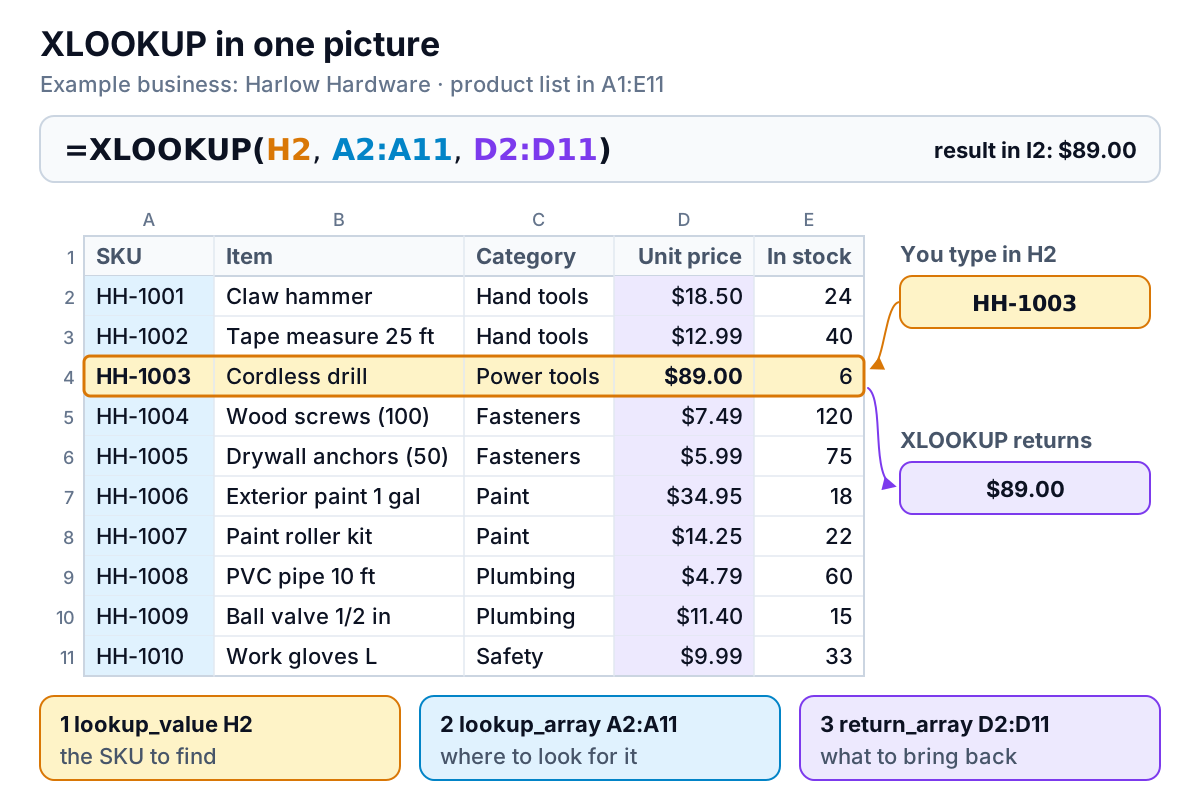
XLOOKUP in Excel: Every Argument, With Worked Examples
How to use XLOOKUP in Excel: syntax, every argument, discount tiers, wildcards, latest-entry lookups, spilled results and a fix for each error. Free workbook.
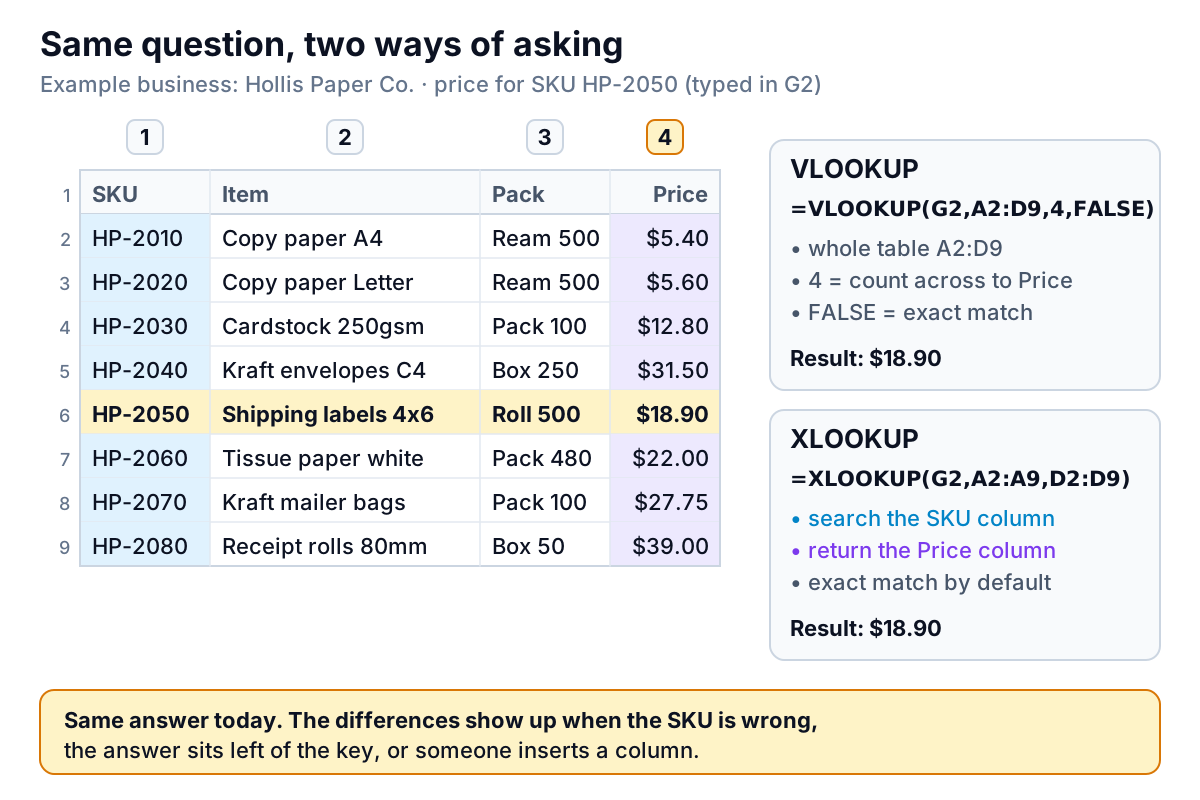
XLOOKUP vs VLOOKUP: Five Tests on the Same Price List
XLOOKUP vs VLOOKUP tested on one price list: where VLOOKUP gives a wrong answer with no error, when it still matters for older Excel, and how to convert.
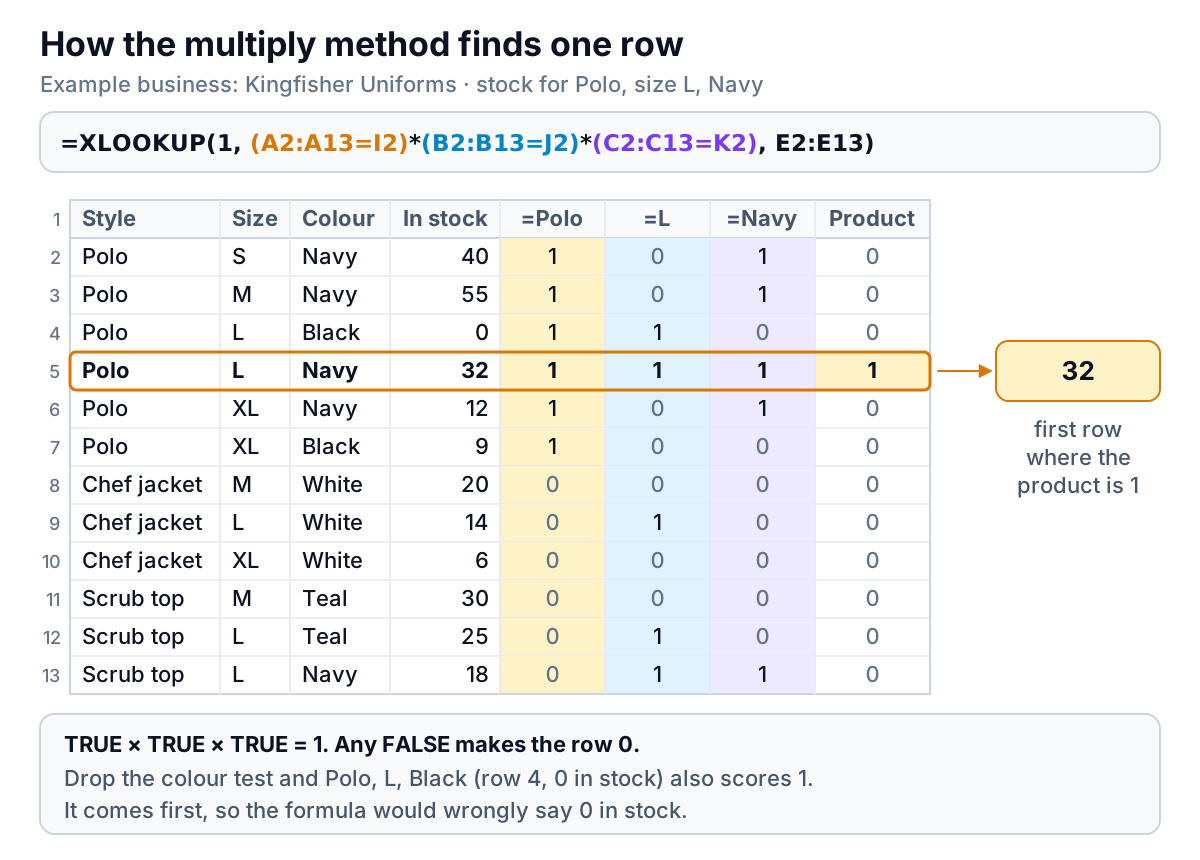
XLOOKUP With Multiple Criteria: Two Methods and Their Traps
XLOOKUP multiple criteria explained: the multiply and joined-key methods, OR and range conditions, the separator trap, speed on big sheets, and error fixes.
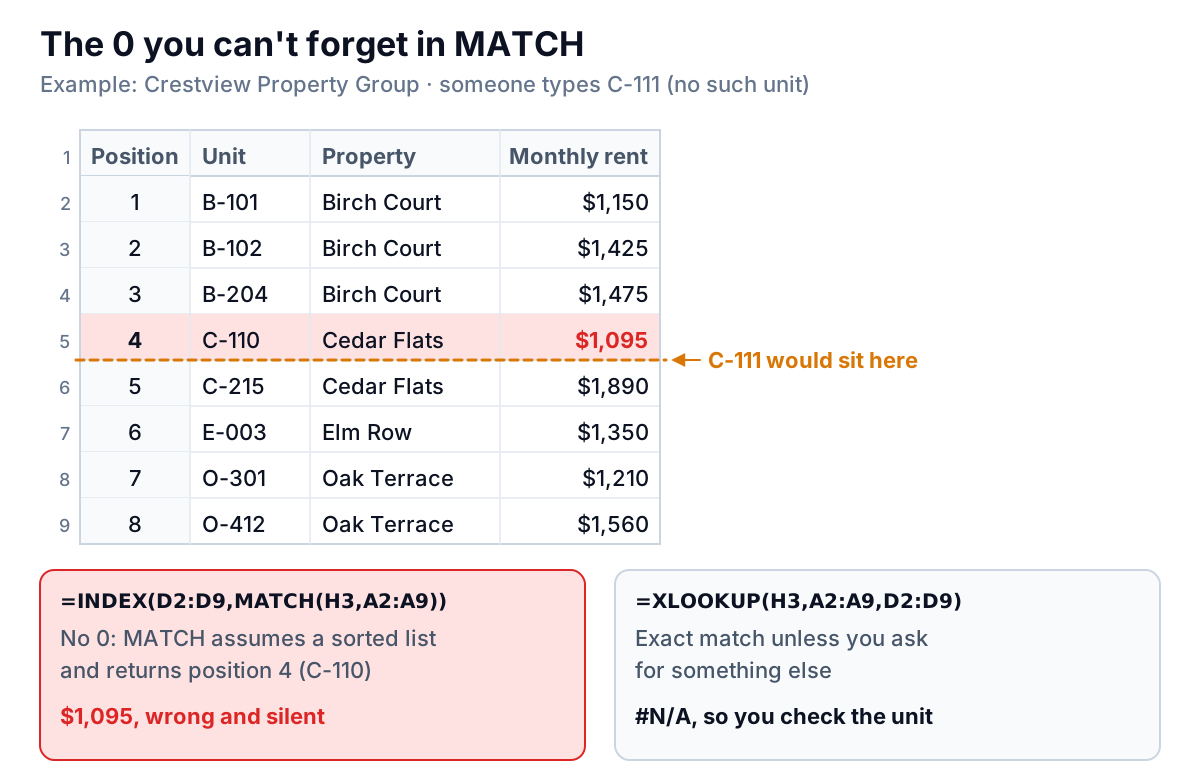
XLOOKUP vs INDEX MATCH: An Honest Comparison
XLOOKUP vs INDEX MATCH compared on real lookups: match defaults, not found, last match, two-way grids, speed and version compatibility. Free workbook.
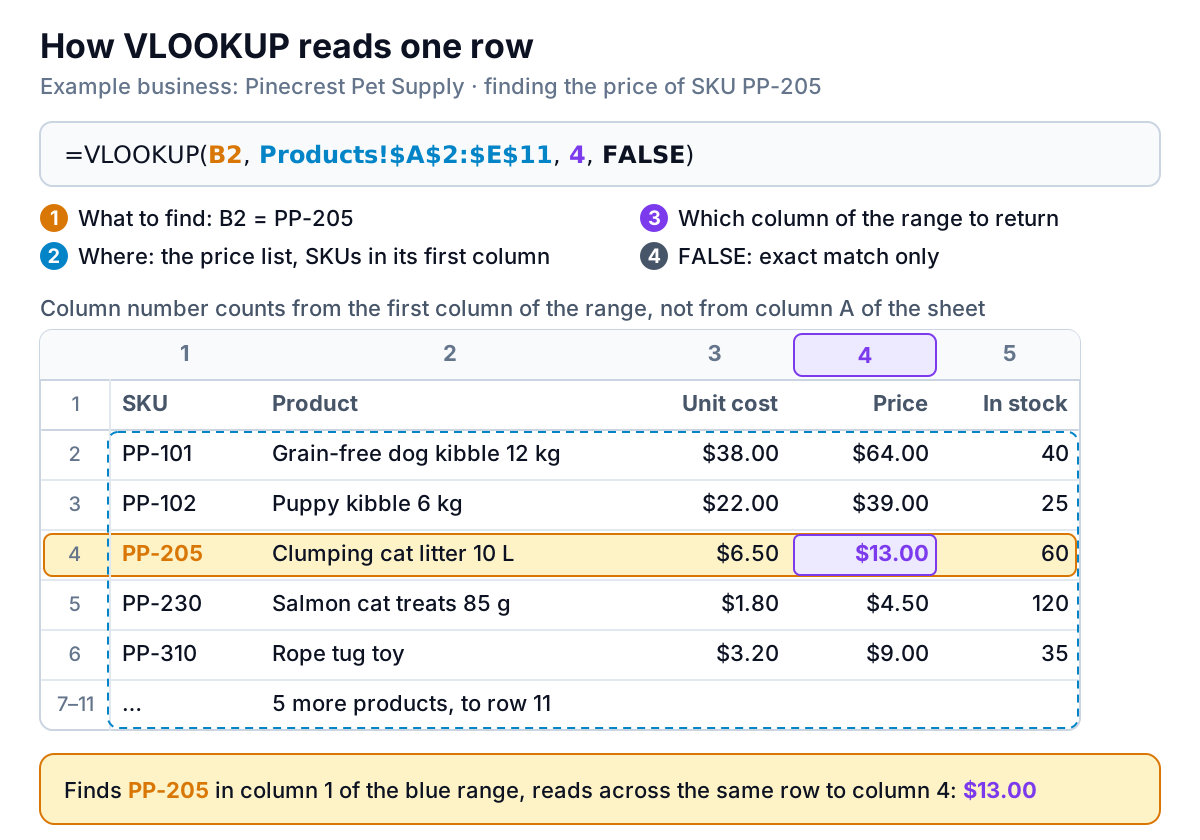
VLOOKUP: How to Use It, With Worked Examples and Fixes
How to use VLOOKUP in Excel: the four arguments, FALSE vs TRUE, locking the range, column numbers that don't break, IFERROR, plus a free practice workbook.
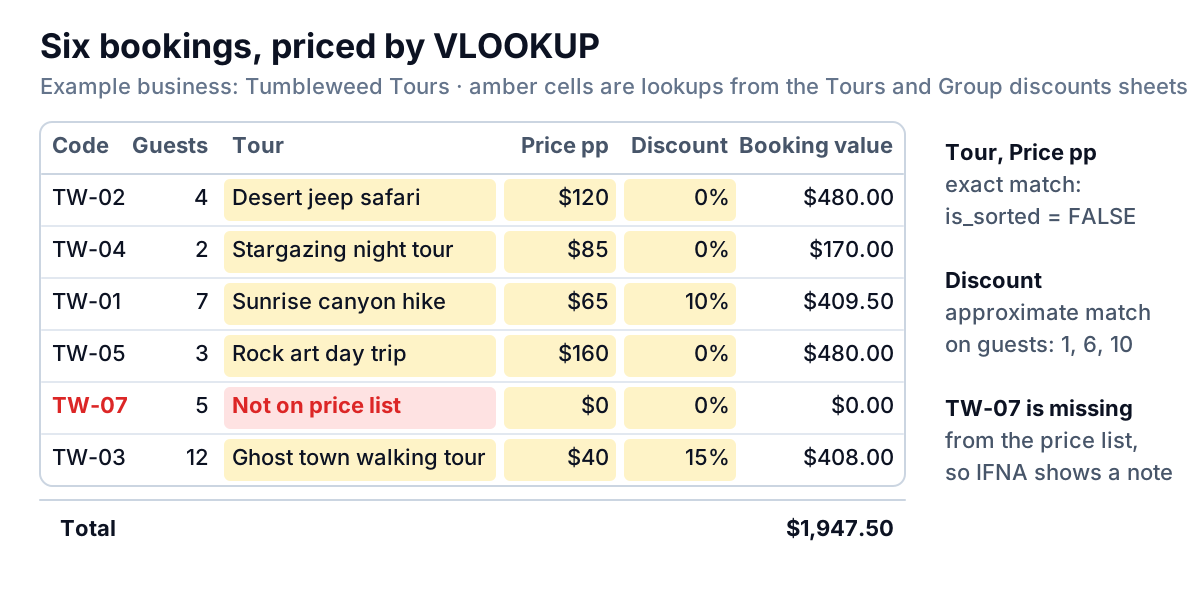
VLOOKUP in Google Sheets: Syntax, ARRAYFORMULA and IMPORTRANGE
A VLOOKUP Google Sheets guide: override the is_sorted default, fill a whole column with ARRAYFORMULA, pull from another file with IMPORTRANGE, fix errors.
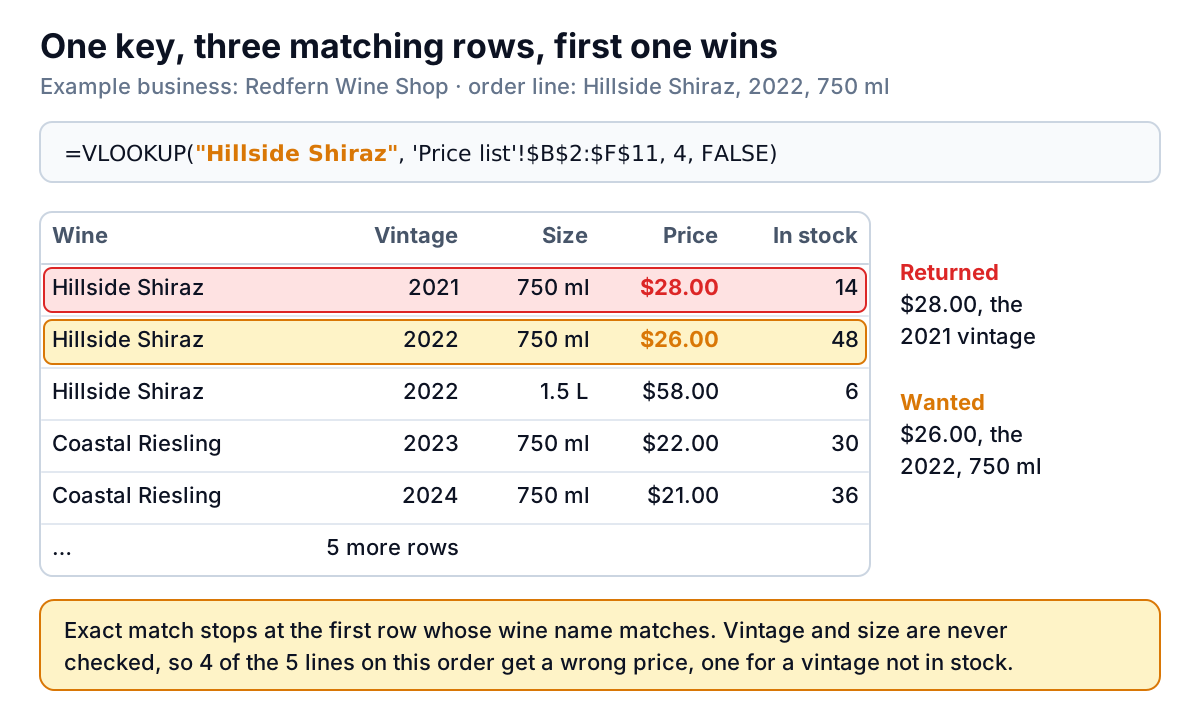
VLOOKUP With Multiple Criteria: Four Methods That Work
VLOOKUP multiple criteria, four ways: a helper column key, CHOOSE without a helper, INDEX/MATCH, and when to switch to XLOOKUP or FILTER. Practice workbook.
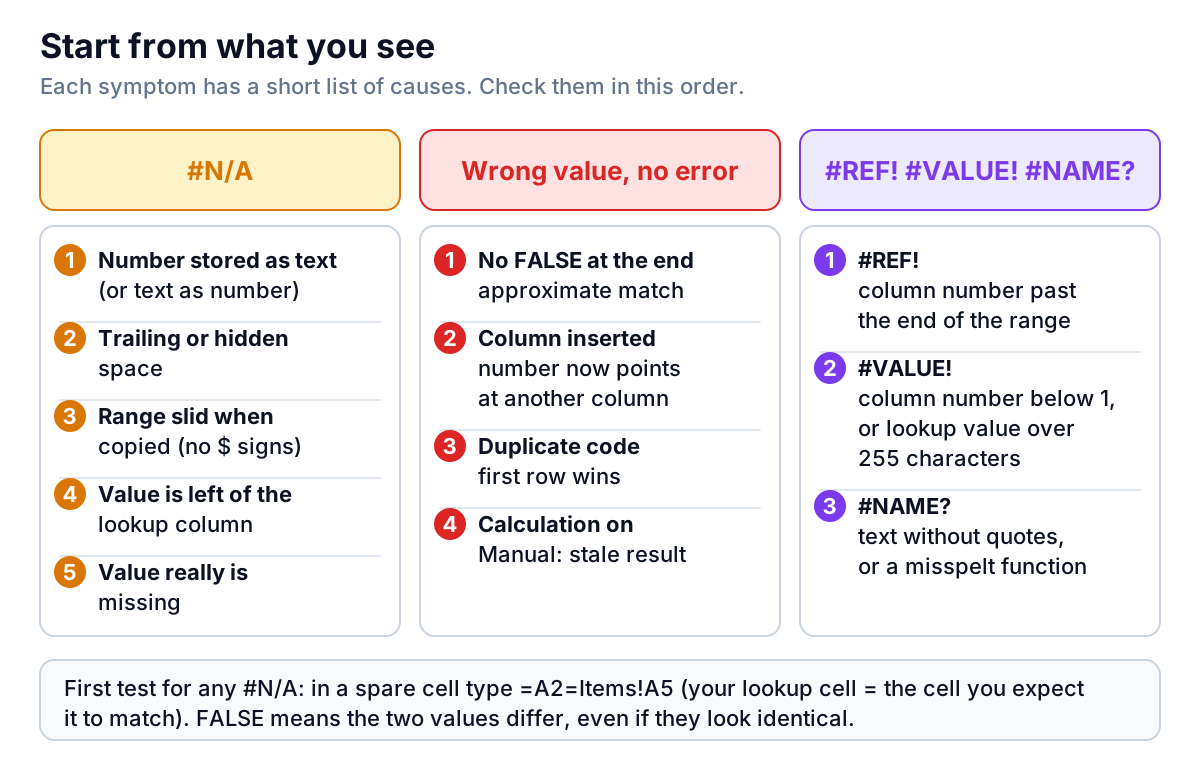
VLOOKUP Not Working? Every Cause and the Fix for Each
VLOOKUP not working? A diagnosis table for every #N/A and wrong answer: text vs numbers, hidden spaces, missing FALSE, duplicates, #REF! and a practice file.
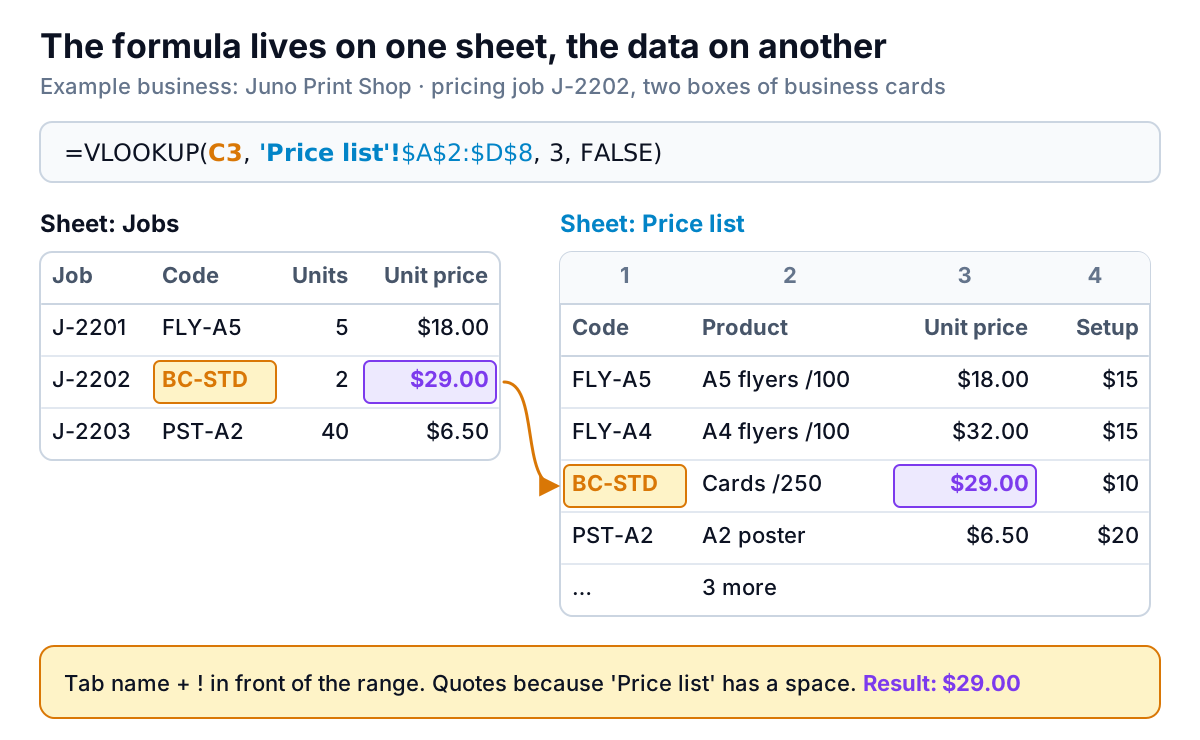
VLOOKUP From Another Sheet or Workbook: Syntax and What Breaks It
How to VLOOKUP from another sheet, another workbook or another Google Sheets file: the exact syntax, INDIRECT and IMPORTRANGE, and what breaks each one.
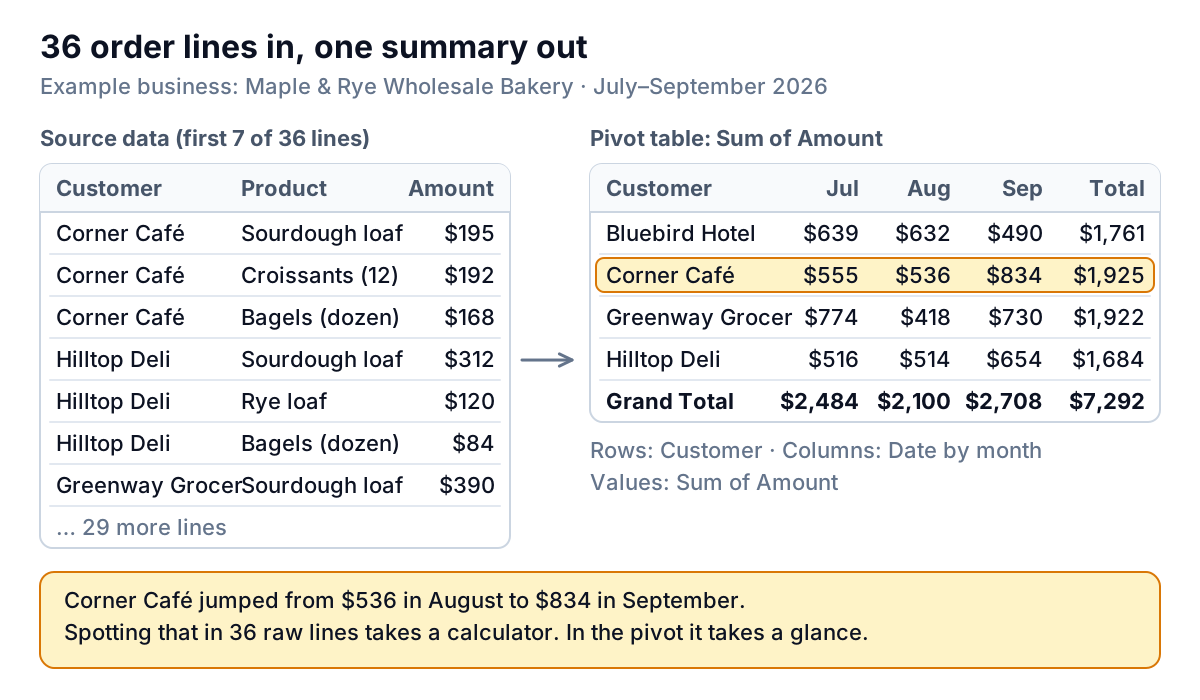
Pivot Table: What It Is and How to Create One in Excel
What a pivot table is and how to create one in Excel step by step: Rows, Columns, Values and Filters, Sum vs Count, grouping dates, and a practice workbook.
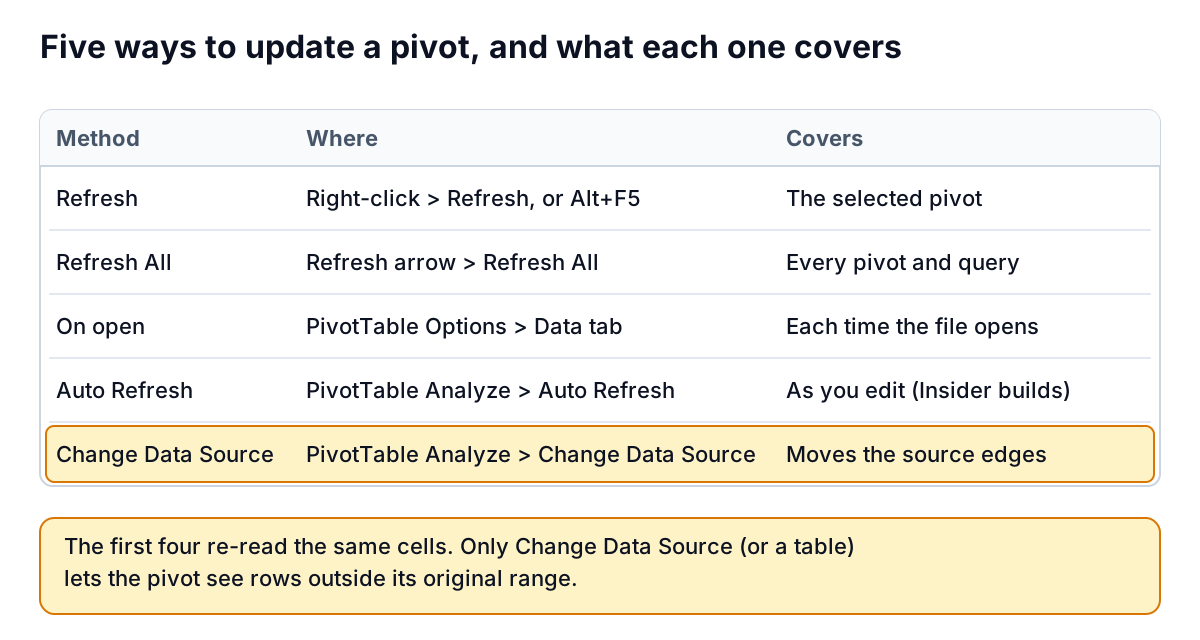
How to Refresh a Pivot Table (and Why New Rows Don't Show Up)
How to refresh a pivot table in Excel: Refresh, Refresh All, refresh on open and Auto Refresh, plus why new rows don't appear and how a table fixes it.
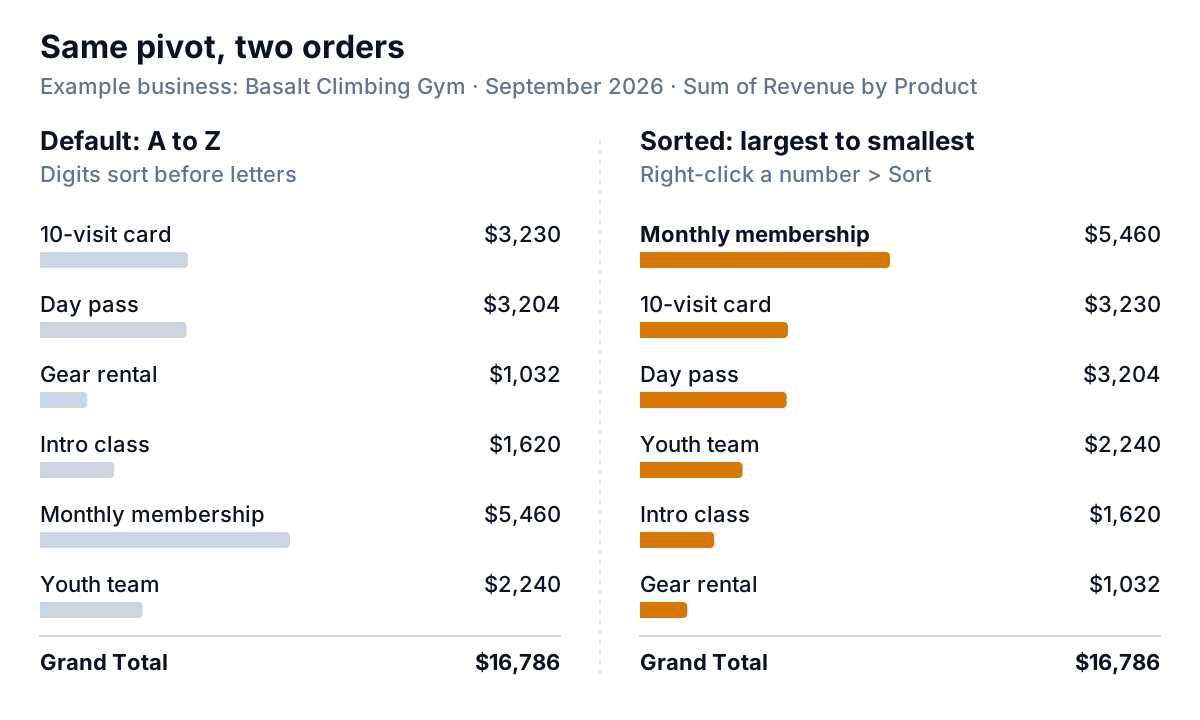
How to Sort a Pivot Table: By Value, Label, Custom Order and Top N
How to sort a pivot table in Excel by value or label, put weekdays and products in your own order, show the top 3, and stop the sort resetting on refresh.
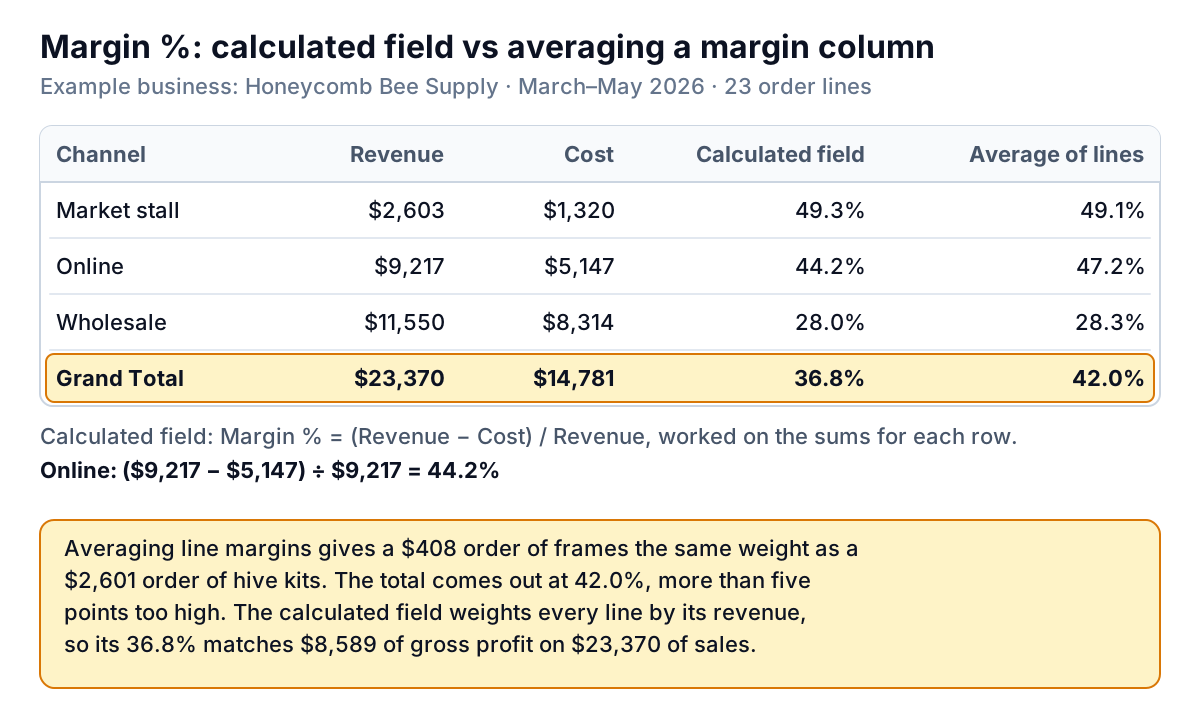
Pivot Table Calculated Field: How to Add One, and the Sum-First Trap
Add a pivot table calculated field in Excel, edit or delete it, and learn why it sums before calculating: right for margin %, wrong for Qty × price and IF.
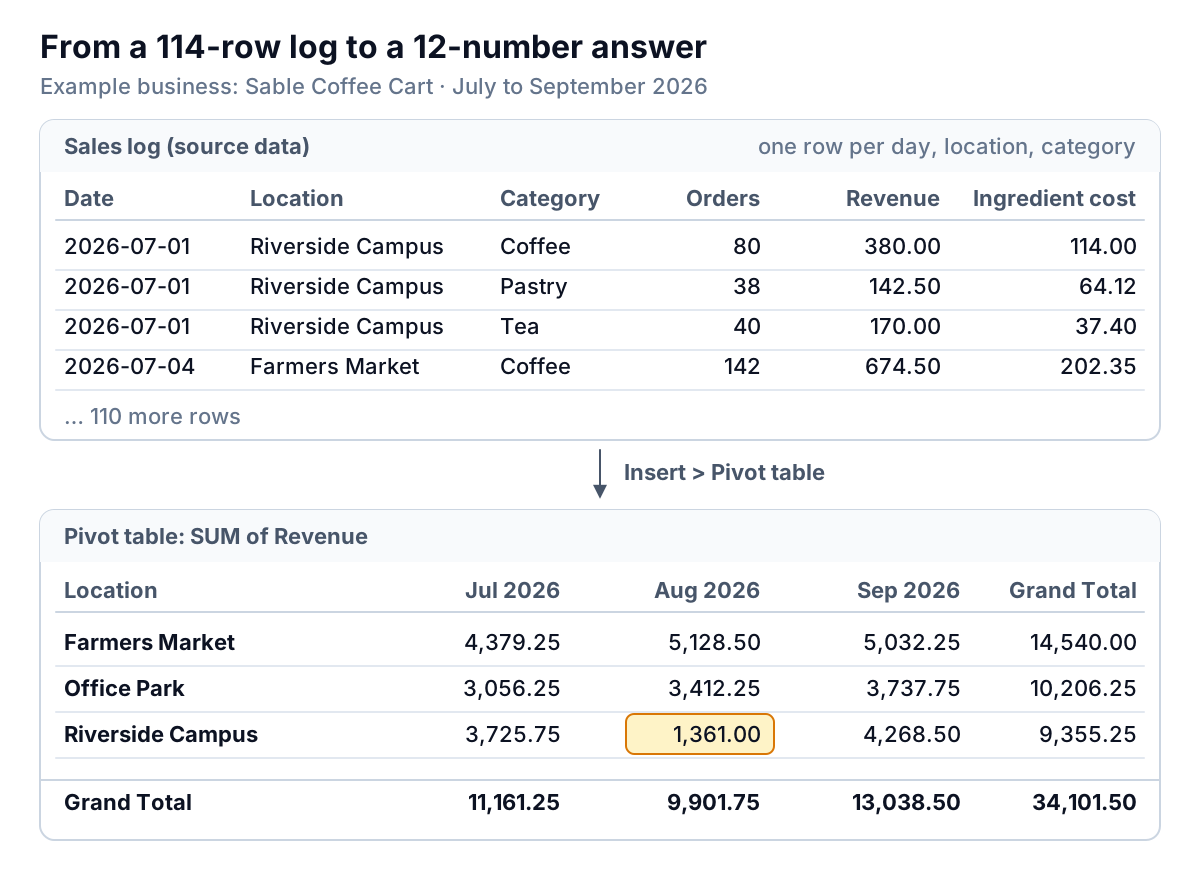
Pivot Table in Google Sheets: Build One, Group Dates and Avoid the Margin Trap
How to make a pivot table in Google Sheets: shape the data, group dates by Year-Month, add calculated fields that give a real margin, and use slicers.
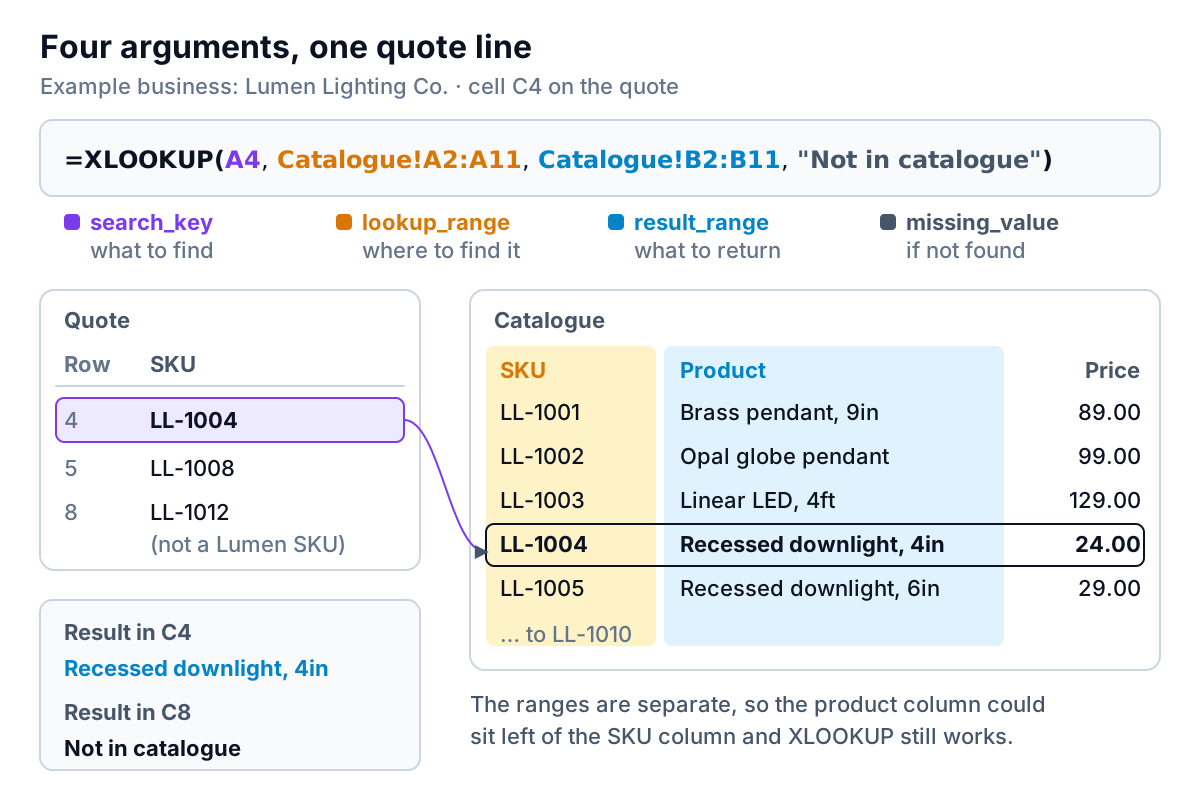
XLOOKUP in Google Sheets: Every Argument, Worked on a Real Quote
XLOOKUP in Google Sheets explained on a real quote: every argument, approximate match for price tiers, latest-entry lookups, Excel differences and fixes.
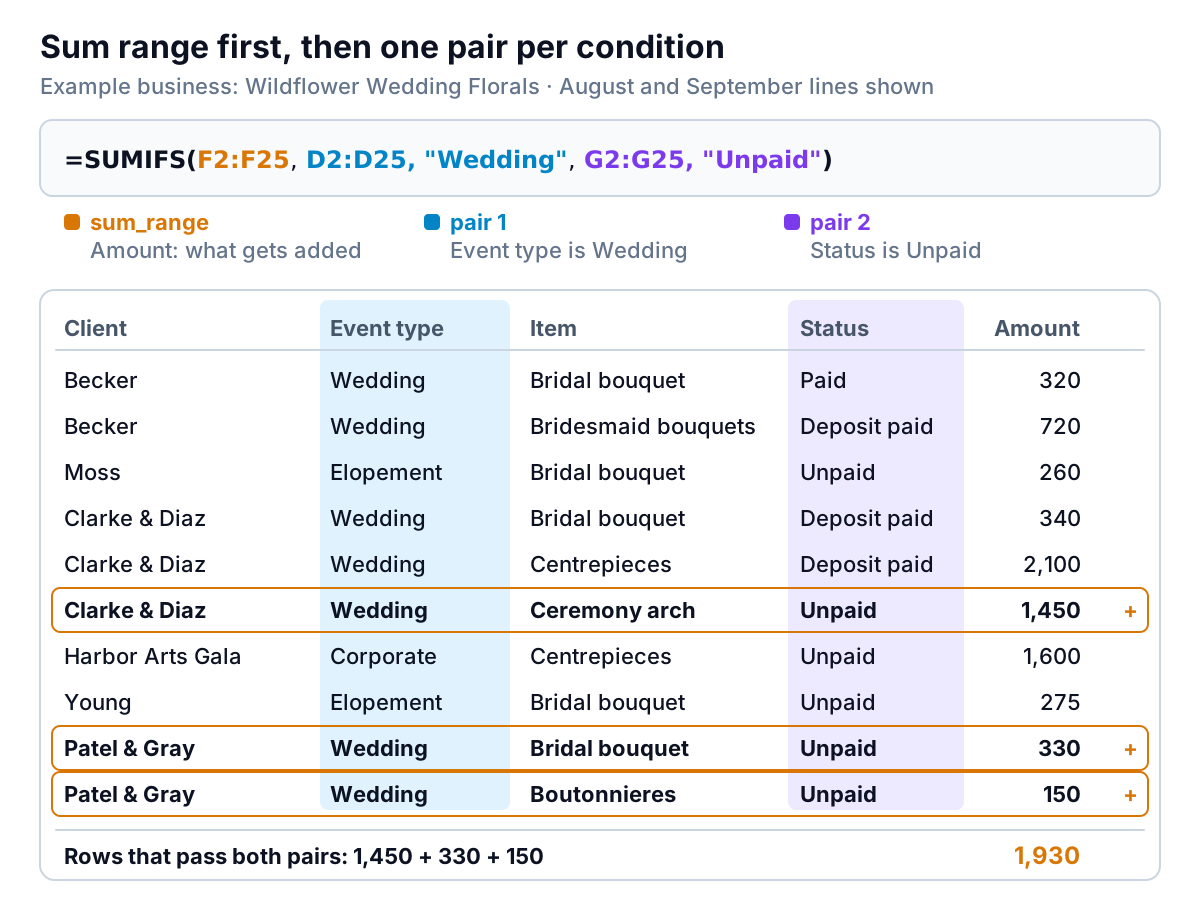
SUMIFS in Google Sheets: Criteria, Dates, OR Conditions and a Self-Filling Summary
SUMIFS in Google Sheets with worked examples: text and number criteria, date ranges, wildcards, OR conditions, a month-by-type grid, and why it returns 0.
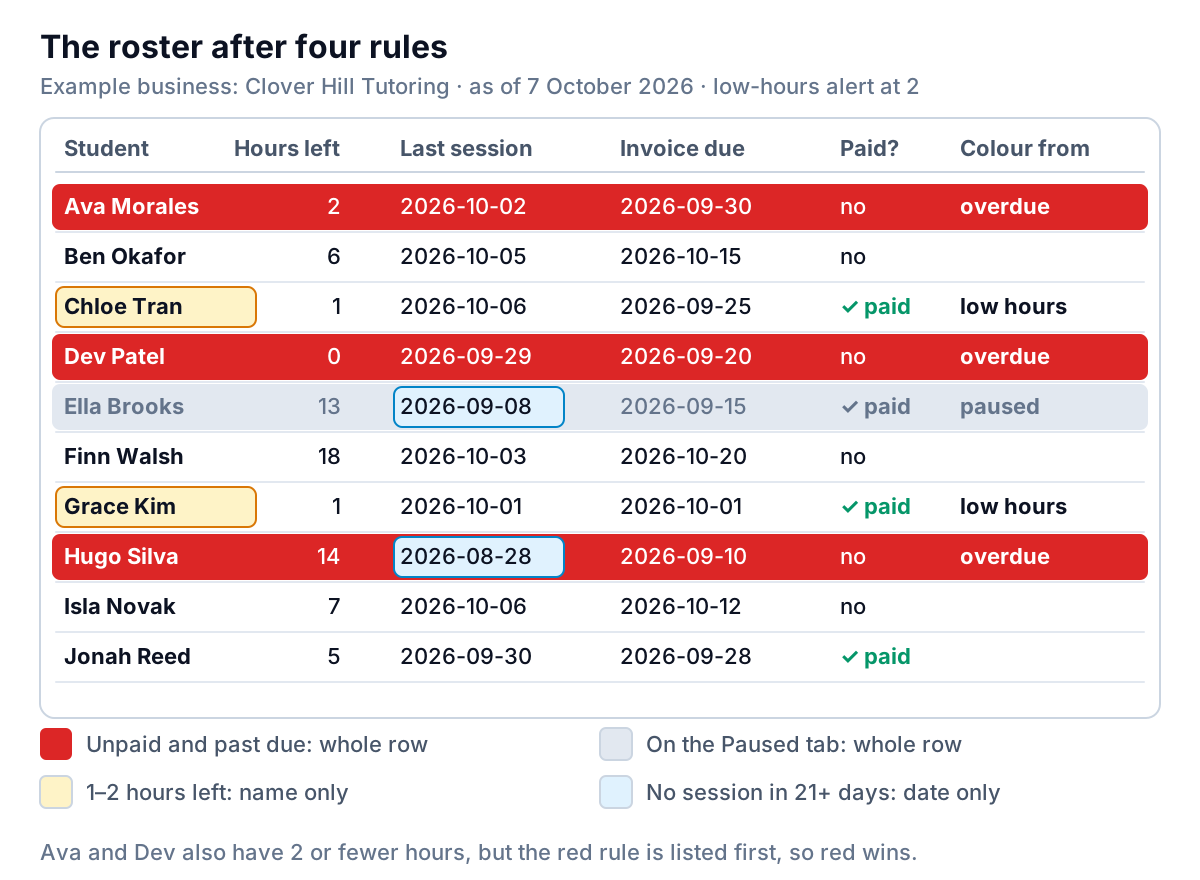
Google Sheets Conditional Formatting Based on Another Cell: Rows, $ Signs and Other Tabs
Google Sheets conditional formatting based on another cell: custom formulas, where the $ goes, whole-row rules, other tabs with INDIRECT, and rule order.
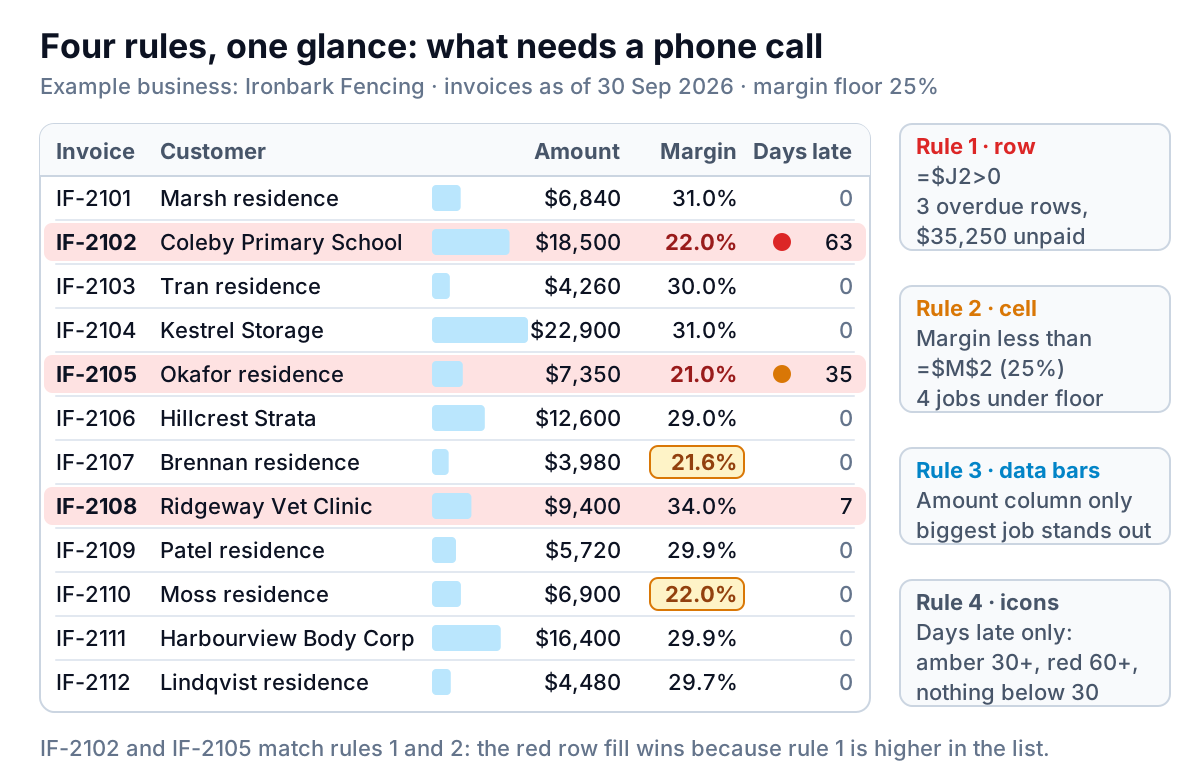
Conditional Formatting in Excel: Rules That Point at What Needs Doing
Conditional formatting Excel users can trust: shade overdue invoices, flag low margins against a target cell, use data bars sparingly and keep rules in order.
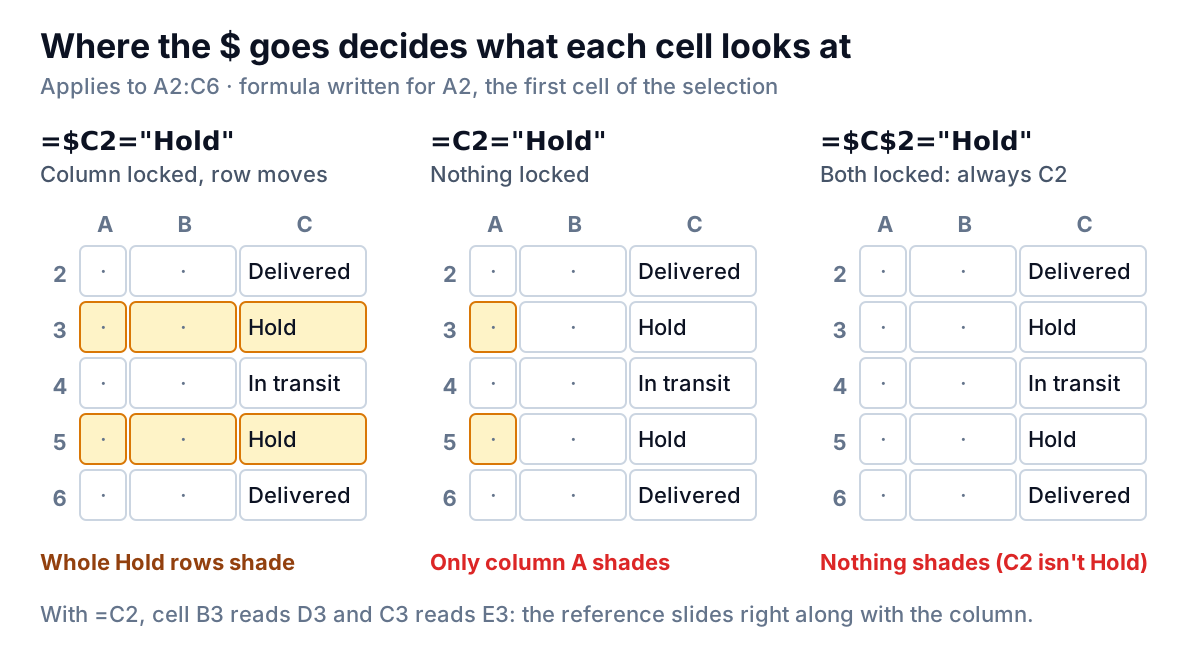
Conditional Formatting Based on Another Cell in Excel: Five Formula Patterns
Conditional formatting based on another cell in Excel: formula rules, where the $ goes, whole rows, AND/OR tests, other sheets and the off-by-one mistake.
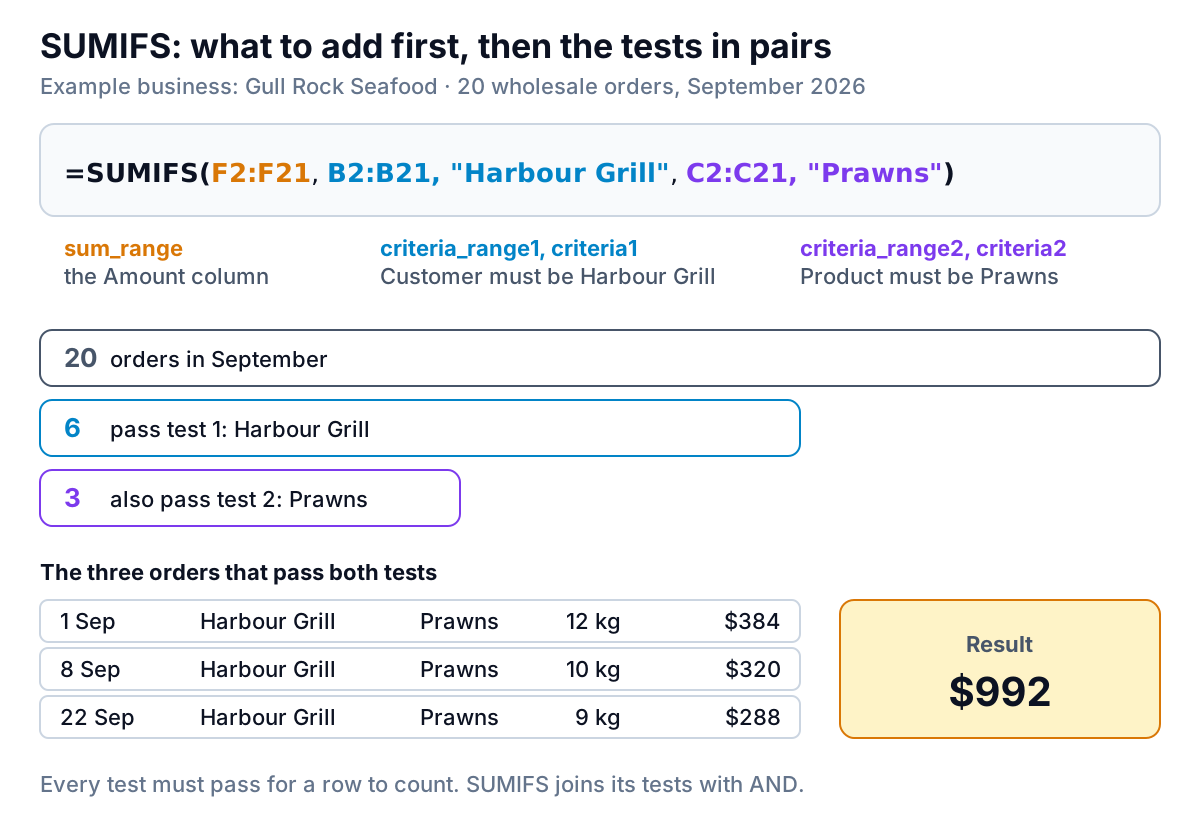
SUMIFS in Excel: Every Kind of Criteria, With Worked Answers
How to use SUMIFS in Excel: syntax, text, dates, wildcards, not-equal, blanks, OR conditions, and the causes of #VALUE! and zero totals. Free practice file.
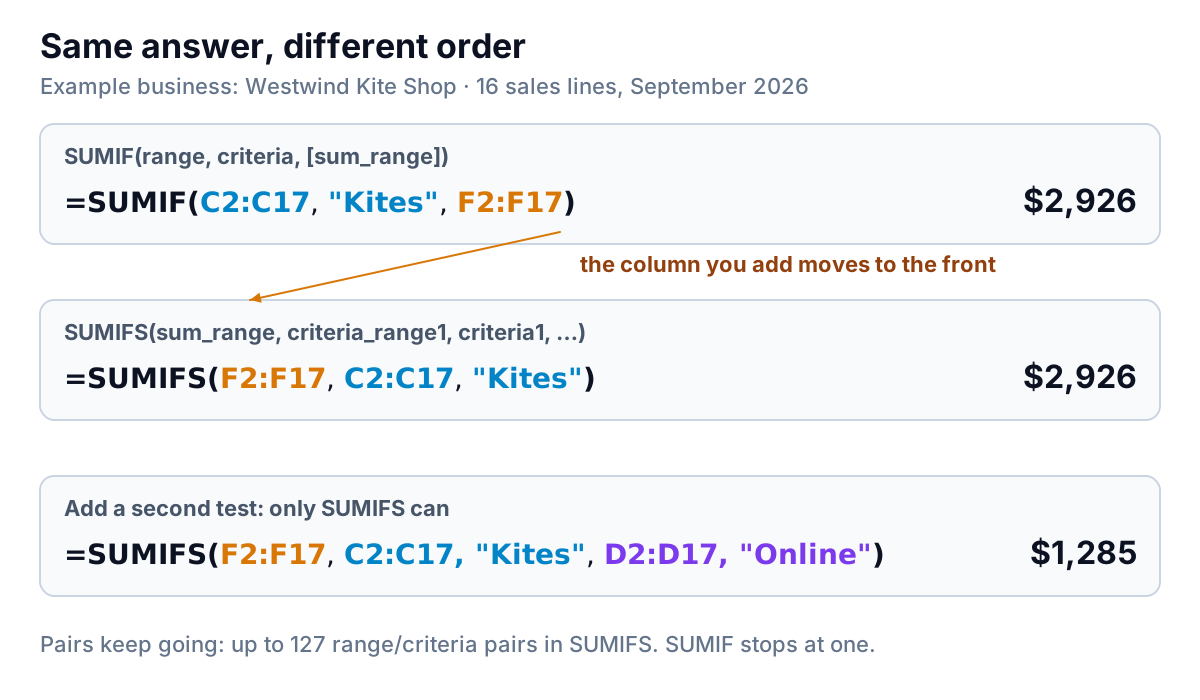
SUMIF vs SUMIFS: Which to Use, and the Argument-Order Trap
SUMIF vs SUMIFS: one condition or many, sum range last or first, and why SUMIF can return a wrong total with no error. Plus COUNTIFS, AVERAGEIFS, MAXIFS.
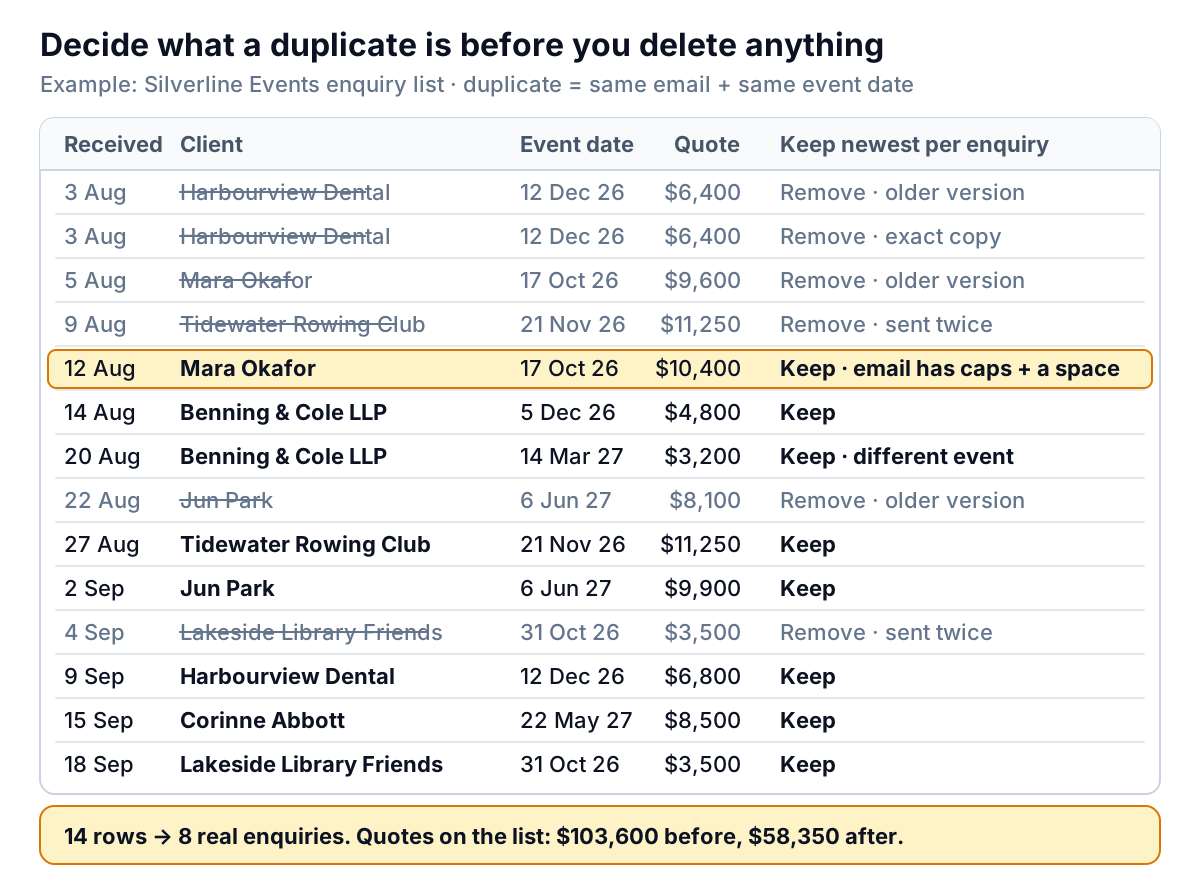
How to Remove Duplicates in Excel (and Keep the Right Row)
How to remove duplicates in Excel: the Remove Duplicates steps, highlighting first, keeping the latest row, UNIQUE and Power Query, with a practice workbook.
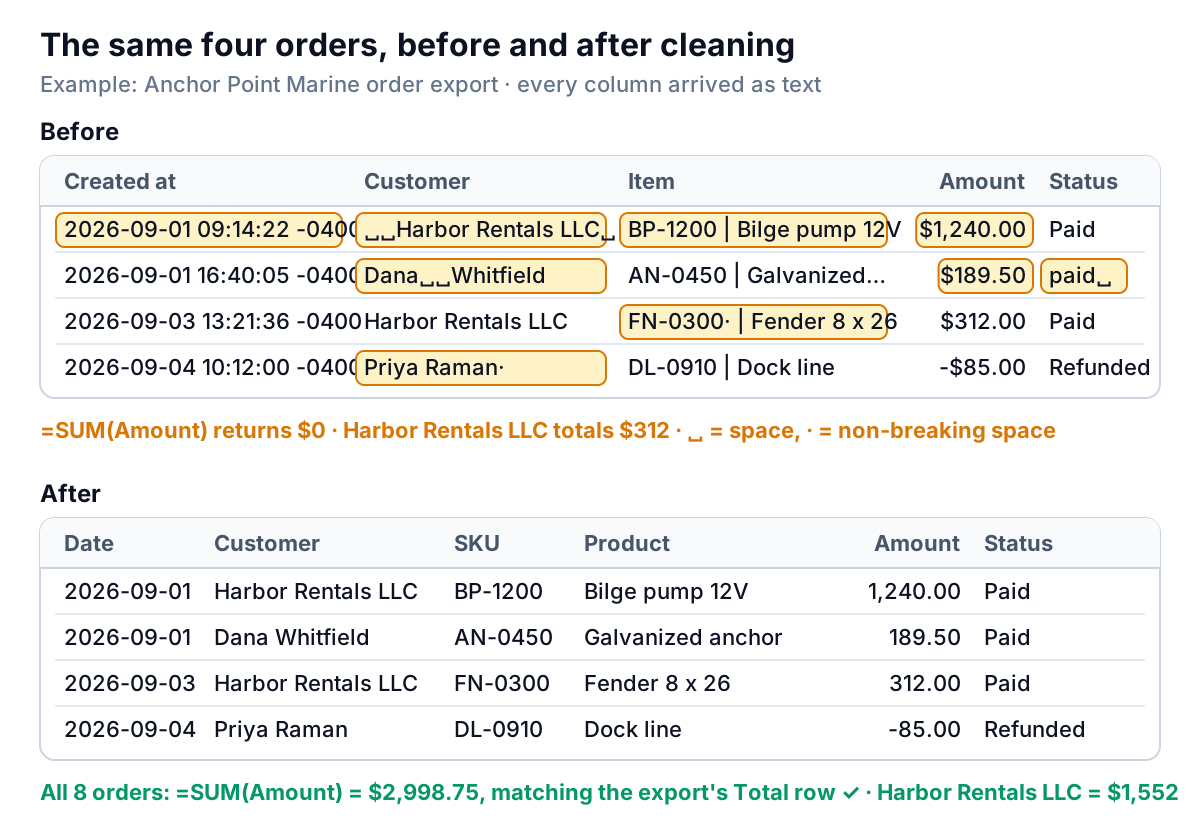
How to Clean Data in Excel: A Seven-Step Order That Checks Itself
How to clean data in Excel: fix spaces, text numbers, text dates and split columns in the right order, then reconcile totals. Formulas and practice workbook.
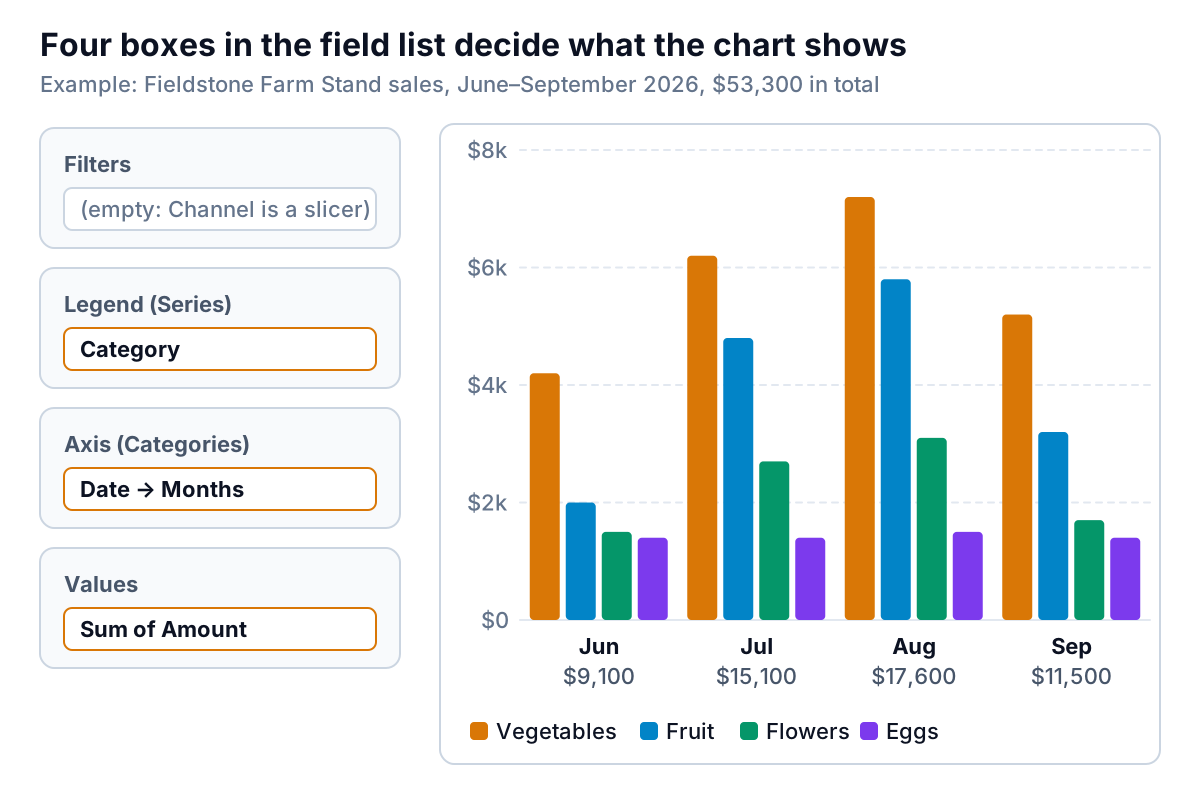
Pivot Chart in Excel: Create, Filter With Slicers, and Know When to Skip It
How to create a pivot chart in Excel, read its field list, filter it with slicers and timelines, keep it current, and when a normal chart works better.
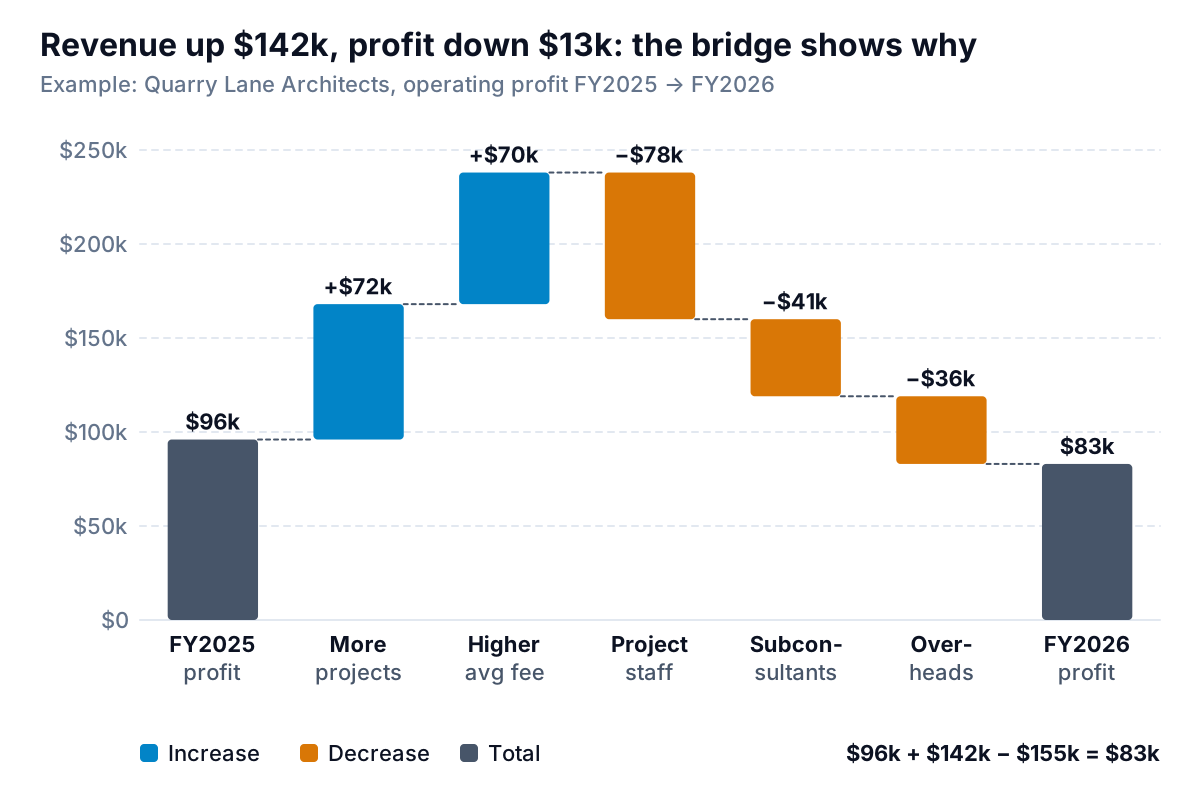
Waterfall Chart in Excel: Build a Profit Bridge That Adds Up
Waterfall chart Excel guide: lay out signed values, set totals and subtotals, build a profit bridge, and use the stacked-column method in older Excel.